Background Eraser - Auto Cut1.1
Publisher Description

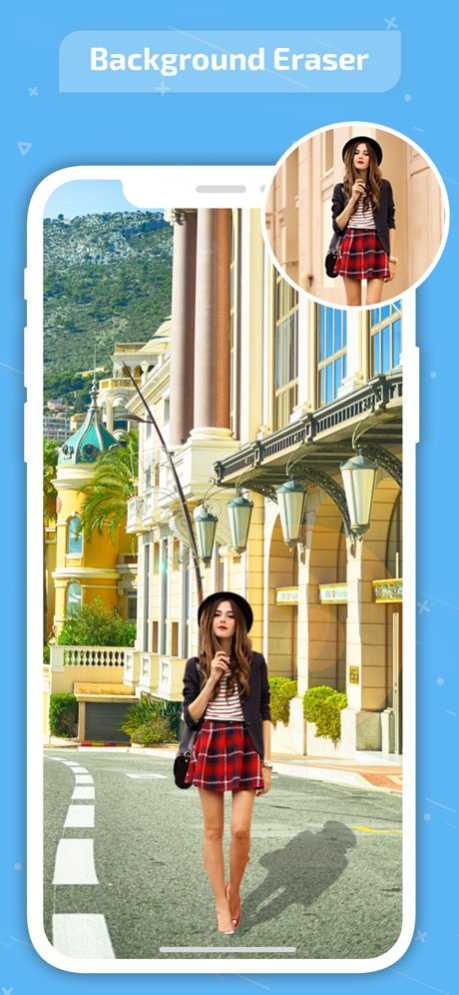


This is an application for cutting pictures and for making a picture's background transparent.
The resulting images can be used as stamps with other apps to make a photomontage, collage.
"Auto" mode
- Erase similar pixels automatically.
"Extract" mode
- Select and erase objects which you want to remove accurately, by using blue & red markers.
"Quick Select"
- Smart and easy to use, users just need to select part of the object and the edge detection algorithm will find the boundary.
"Hair Brush"
- Smooth and natural looking, paint on the hair/fur of an object and the algorithm will select the hair/fur for you in high quality.
"Regular Brush"
- A regular brush tool with the capability to adjust its size, hardness and opacity.
#Add Background Photo - Remove & Change your photo background
it's very important to make a picture's background transparent accurately
if you want to superimpose photos and make good composite photos.
By using this app, you can do it better.
Version History - Made background erase more smoother and faster for you. 1.1 07/29/2024 1.0 03/25/2019
About Background Eraser - Auto Cut
The company that develops Background Eraser - Auto Cut is Liam Sammy. The latest version released by its developer is 1.1.
To install Background Eraser - Auto Cut on your iOS device, just click the green Continue To App button above to start the installation process. The app is listed on our website since 2026-10-15 and was downloaded 73 times. We have already checked if the download link is safe, however for your own protection we recommend that you scan the downloaded app with your antivirus. Your antivirus may detect the Background Eraser - Auto Cut as malware if the download link is broken.
How to install Background Eraser - Auto Cut on your iOS device:
- Click on the Continue To App button on our website. This will redirect you to the App Store.
- Once the Background Eraser - Auto Cut is shown in the iTunes listing of your iOS device, you can start its download and installation. Tap on the GET button to the right of the app to start downloading it.
- If you are not logged-in the iOS appstore app, you'll be prompted for your your Apple ID and/or password.
- After Background Eraser - Auto Cut is downloaded, you'll see an INSTALL button to the right. Tap on it to start the actual installation of the iOS app.
- Once installation is finished you can tap on the OPEN button to start it. Its icon will also be added to your device home screen.
Program Details
System requirements
Download information
Pricing
Version History
version 1.1
posted on 2026-10-15
Version History - Made background erase more smoother and faster for you. 1.1 07/29/2024 1.0 03/25/2019
version 1.1
posted on 2024-07-29
- Made background erase more smoother and faster for you.
version 1.1
posted on 2024-07-29
Jul 29, 2024
Version 1.1
- Made background erase more smoother and faster for you.
